
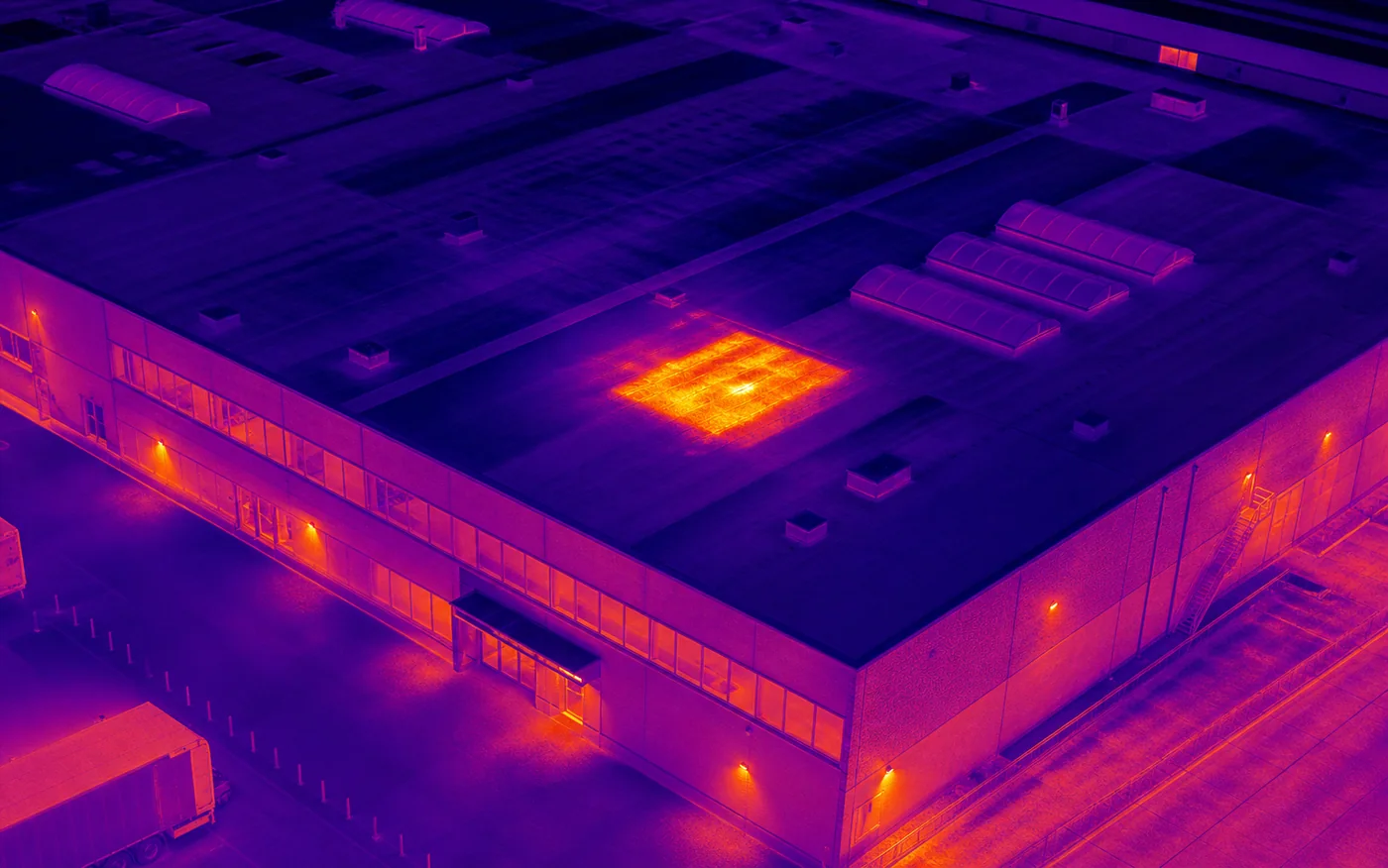
Thermal capture from a drone can reveal temperature patterns across hard-to-reach roof surfaces and help prioritise areas for closer verification. The imagery provides screening and documentation. Diagnosis and any formal opinion remain with an authorised specialist. The following information makes the initial feasibility review faster and the resulting material more useful.
1. Define the decision the imagery should support
Begin by stating the question the inspection should answer. The material may support heat-loss screening, a moisture investigation, maintenance planning, a comparison after repairs or another clearly defined decision.
Describe who will review the result. A facilities team, roofer, energy consultant and insurer may need different file structures, image references or levels of context.
2. Identify the roof and its surroundings
Provide the exact address, approximate roof area, building height, roof type and any available plans. Mention nearby structures, cranes, antennas, overhead lines, trees and areas where access is restricted.
Photographs taken from ground level can help explain entrances, safe operating space and obstructions. Do not send confidential plans unless they are genuinely required and a secure transfer method has been agreed.
3. Allow the operator to select suitable conditions
Thermal results depend on weather, surface properties, thermal contrast and timing. Rain, strong wind, recent solar heating or insufficient temperature difference can reduce the value of the data or make the flight unsuitable.
Share the available operating window and any restrictions related to building use, allowing some flexibility where possible. Aeronautiq confirms the capture window after reviewing conditions and may recommend rescheduling when the expected data quality would be poor.
4. Agree the deliverables before the flight
Specify whether you need paired thermal and RGB images, overview photographs, marked observations, an anomaly register, a structured PDF summary or raw files. Agree naming, numbering and delivery format before capture.
Thermal observations should be easy to relate to a roof area. Context images, orientation and consistent references often matter as much as the thermogram itself.
5. Prepare access, contacts and feasibility information
Name the on-site contact and describe opening hours, active works, public access, security procedures and any safety restrictions. Aeronautiq also reviews airspace, local rules, privacy, permits, weather and radio conditions.
Submitting an enquiry does not authorise a flight. The final scope and timing are confirmed after the location and operating conditions have been assessed.